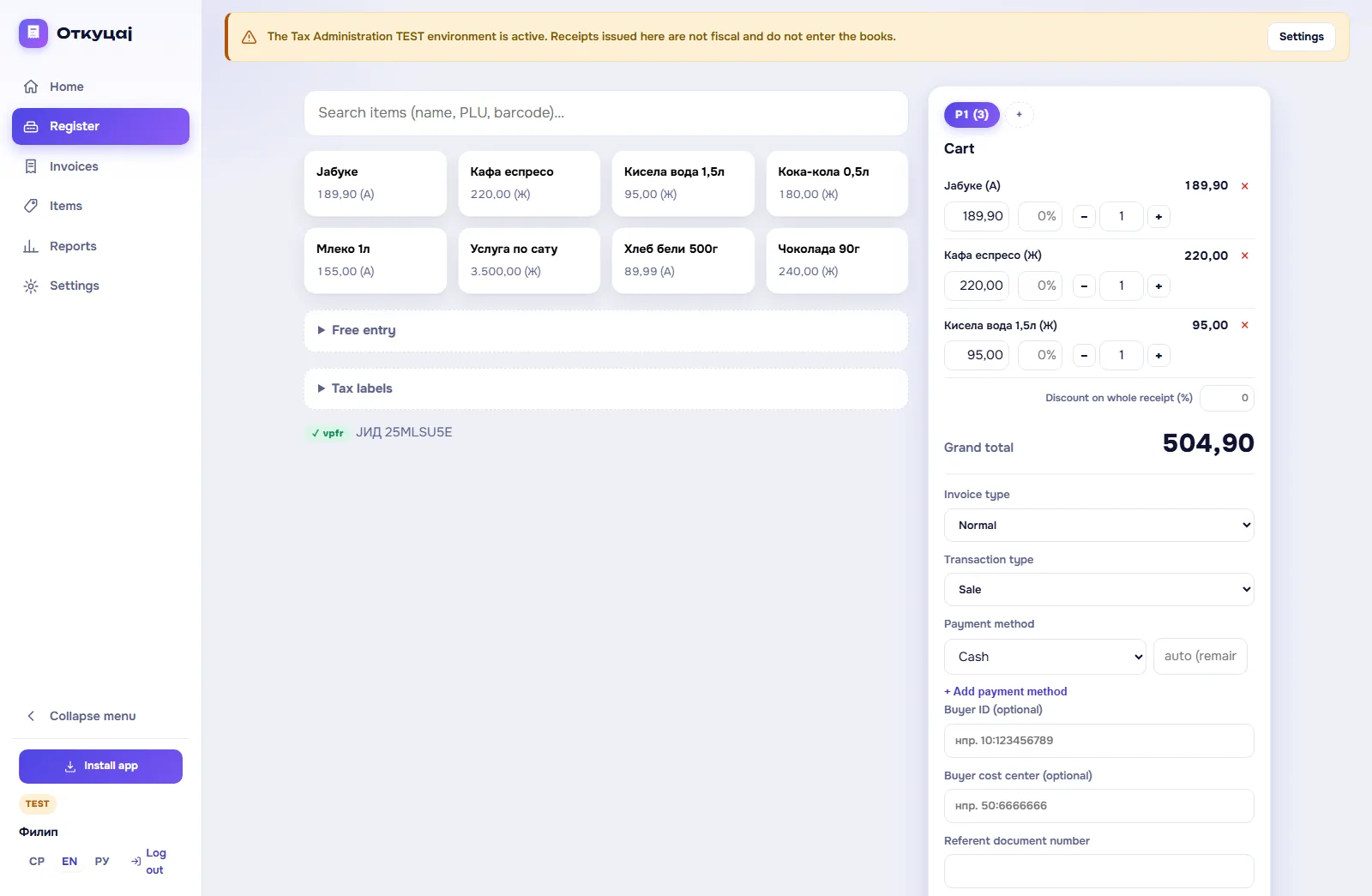
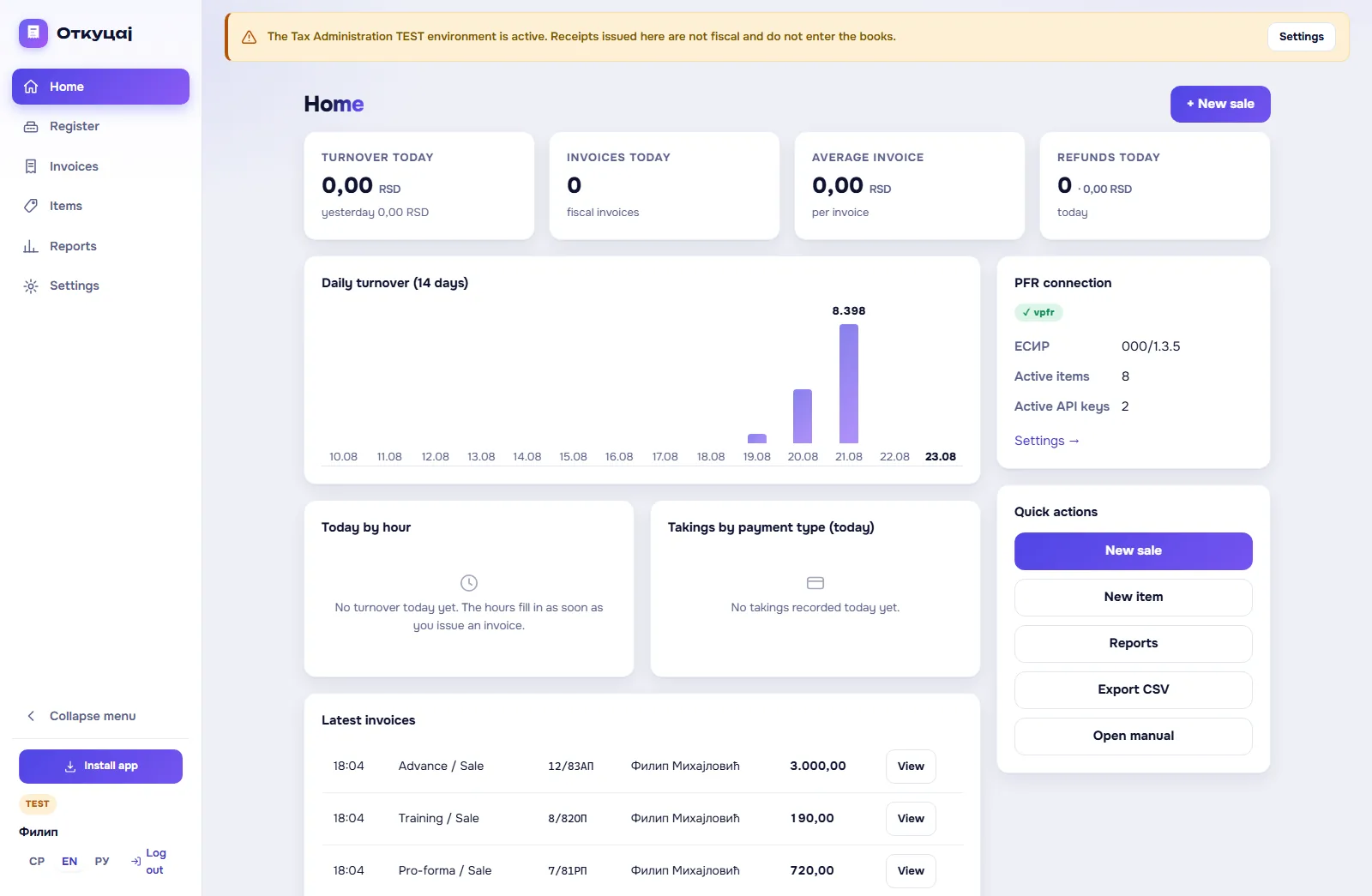
The till in a browser
Search by name, PLU and barcode; a barcode scanner adds the item on Enter, and the quantity prefix 2*code or 2xcode enters the quantity straight away. Categories act as filters, free entry covers whatever is not in the catalogue, buyer identification follows the official code list (TIN, personal number, ID card, passport and so on), and advertising text is printed below the receipt.
Several open receipts
Serve more than one customer at a time: each receipt is its own tab in the till. Open receipts are kept locally and survive a page reload.
Discounts and free pricing
Price and quantity are editable per line, with decimals such as 0.375. A percentage discount per line or on the whole receipt, where a total discount is distributed across the lines automatically.
Advances in one click
Quick buttons for advance lines with the prescribed names: 10: Аванс (Ђ), 11: Аванс (Е), 12: Аванс (Г) and 13: Аванс (А). The ESIR time field is for a bank transfer that arrived earlier: the advance receipt then also shows the payment date, and it is issued no later than the next working day (art. 11 of the Rulebook). Closing an advance is automatic: the application issues the advance refund itself and prepares the final receipt with the referent number filled in.
Every receipt type
Normal, advance, pro-forma and training, with a copy issued afterwards from an existing receipt. Sale and refund transactions: a refund requires the original's referent number and buyer identification, and to void their own receipt the seller enters their own TIN. Copies, pro-formas and training receipts print "ОВО НИЈЕ ФИСКАЛНИ РАЧУН" at double size, and a refund copy carries a line for the buyer's signature.
All 7 payment methods
Cash, payment card, cheque, bank transfer, voucher, instant payment and other cashless. Split payment on one receipt with an automatic remainder field. There is also the mode under art. 6 para. 2 of the Rulebook, which records card, cheque and instant payments as cash; as we understand it, that mode is mandatory for a till that records food and drink served for consumption on the spot or sales in a bakery. One installation runs in exactly one mode.
The receipt register
Filter by date and type, open a receipt with its journal and QR code. A copy in one click, a refund that carries the lines and the referent number into the till, conversion of a pro-forma into a fiscal receipt, e-mail to a buyer who agrees, with a verification link, and download of the journal as .txt.
Items and CSV
Name, unit of measure, price including VAT, tax label, PLU, GTIN/barcode, category and active status. CSV import and export in the format plu;name;unit;price;label;gtin;active;category, where rows with an existing PLU are updated rather than duplicated.
Reports
Daily turnover, turnover by tax label, by payment method, by cashier, best-selling items and any period you choose, all with CSV export. Refunds reduce turnover, and training, pro-forma and copy receipts are excluded from the totals.
Offline mode and PWA
Installs as an app (Chrome, Edge, Android, and on iOS through Share and Add to Home Screen). The till and the items are cached locally, so it opens without internet. If the connection drops at the moment of issue, the receipt goes into a local queue visible at the till and is issued only when the connection returns, with that later time. Until then the buyer has no fiscal receipt, and the law wants one at the moment of sale (art. 6(1) of the Law), so the queue is no substitute for an L-PFR.
API and WooCommerce
REST API v1 with Bearer keys for issuing receipts from your own applications and shops, plus a ready WooCommerce plugin that writes the PFR number and the verification link into every order. API documentation
Security
HTTPS, hashed passwords, administrator and cashier roles, an activity log with IP addresses, daily database backups, request rate limiting and CSRF protection. API keys are generated and revoked in settings, and are shown only once.